

Fast Delivery
Quick, reliable shipping to any location.

Free & easy returns
Return this item by mail or in store within 90 days for a full refund.
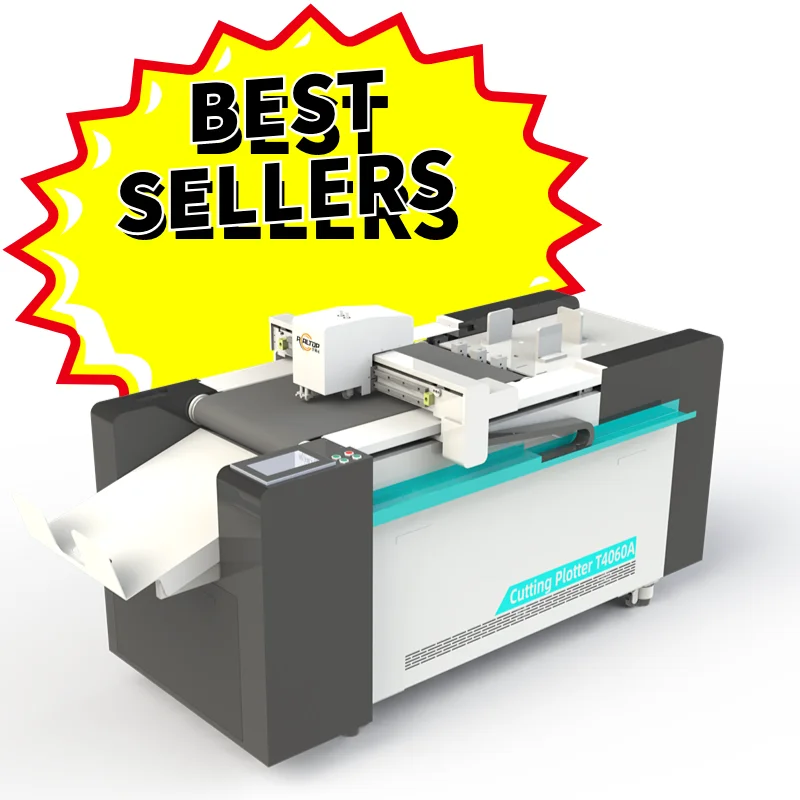
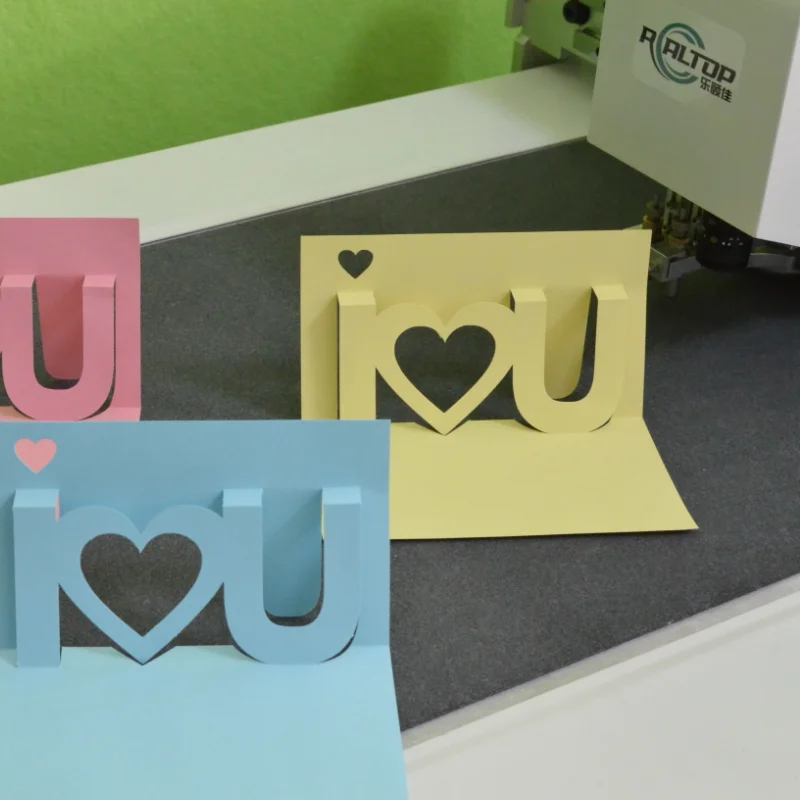
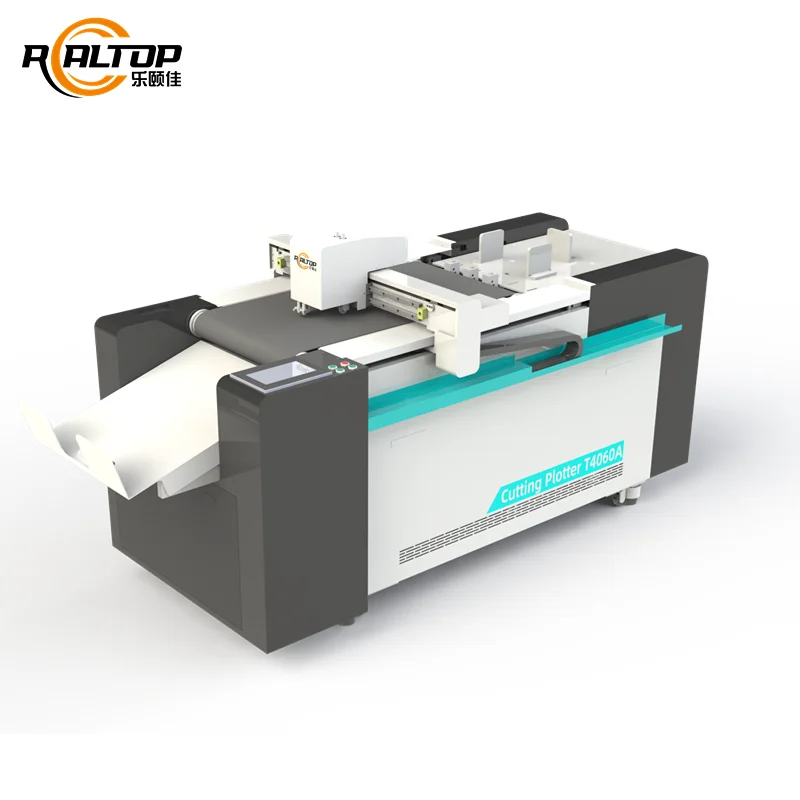
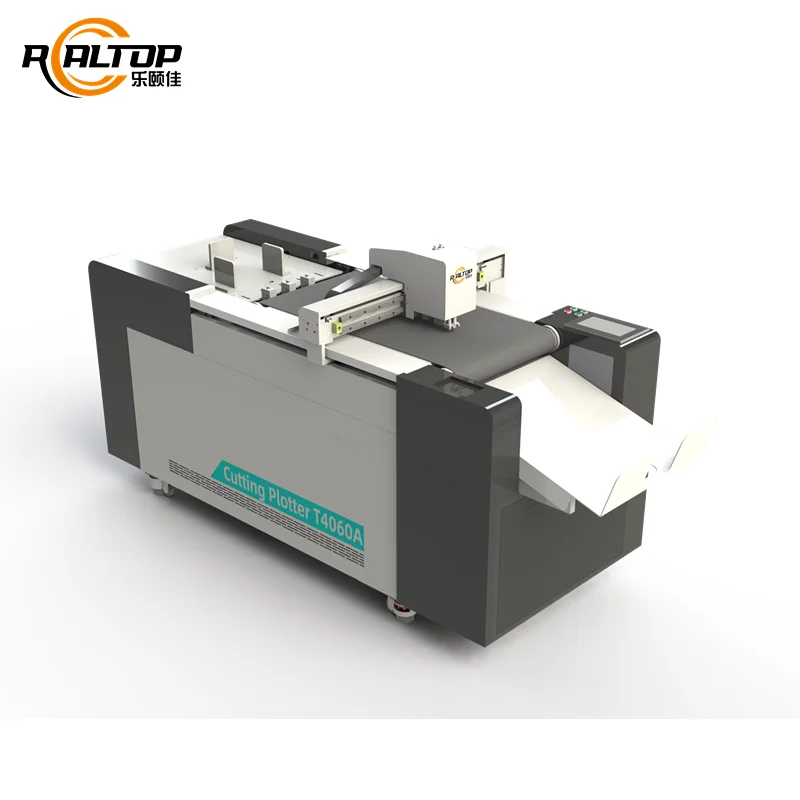
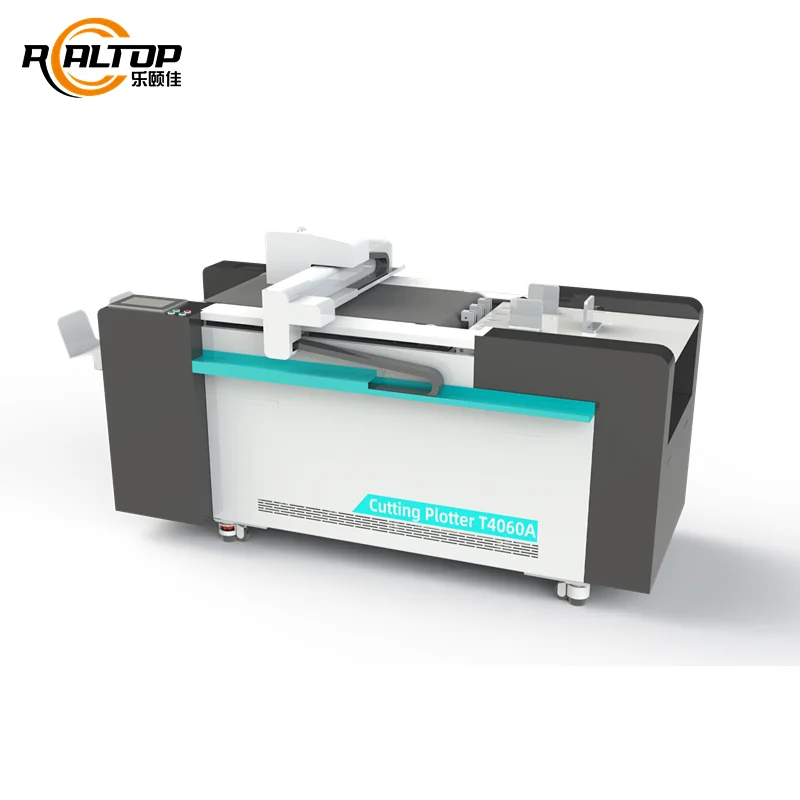
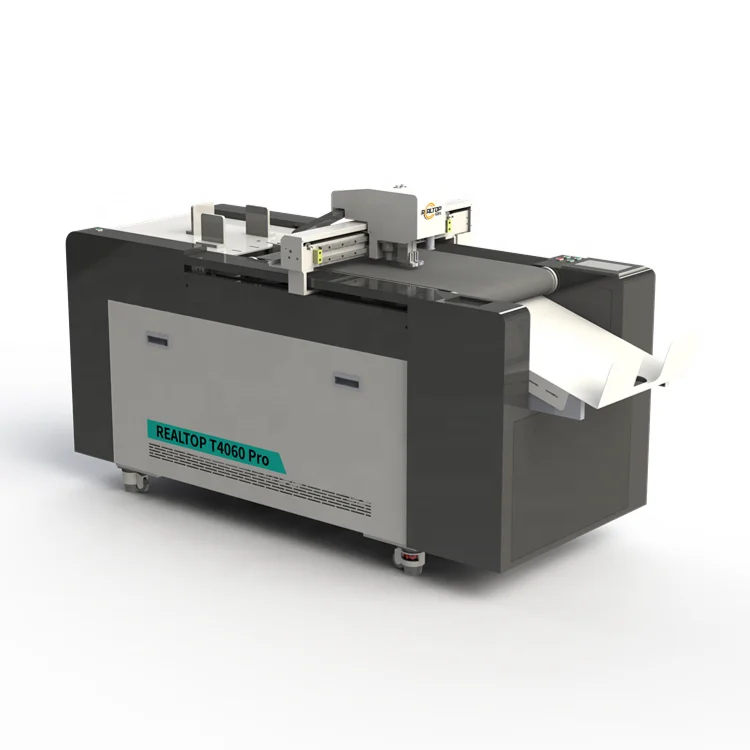
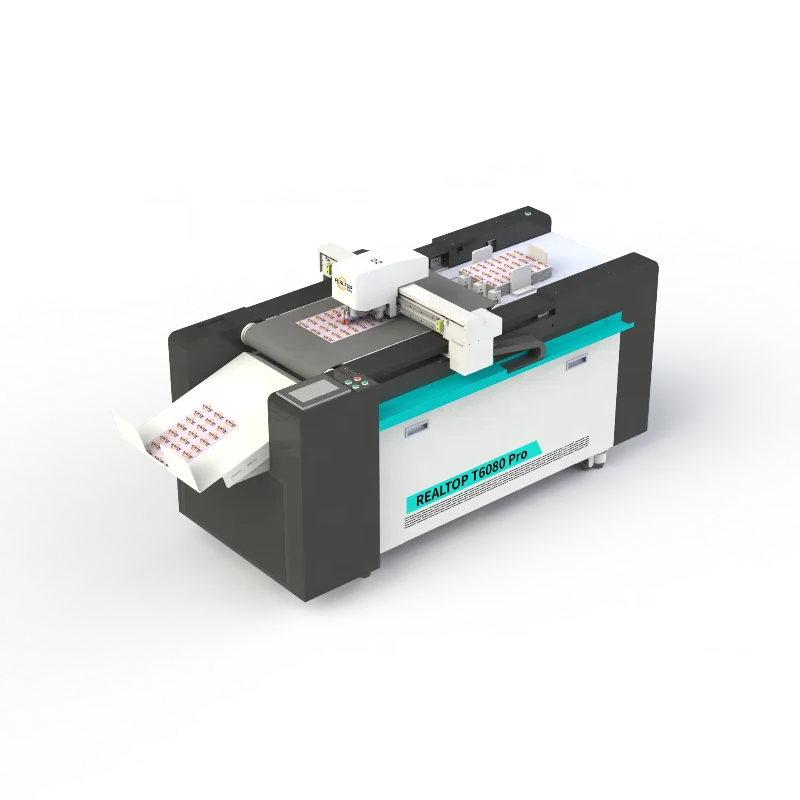
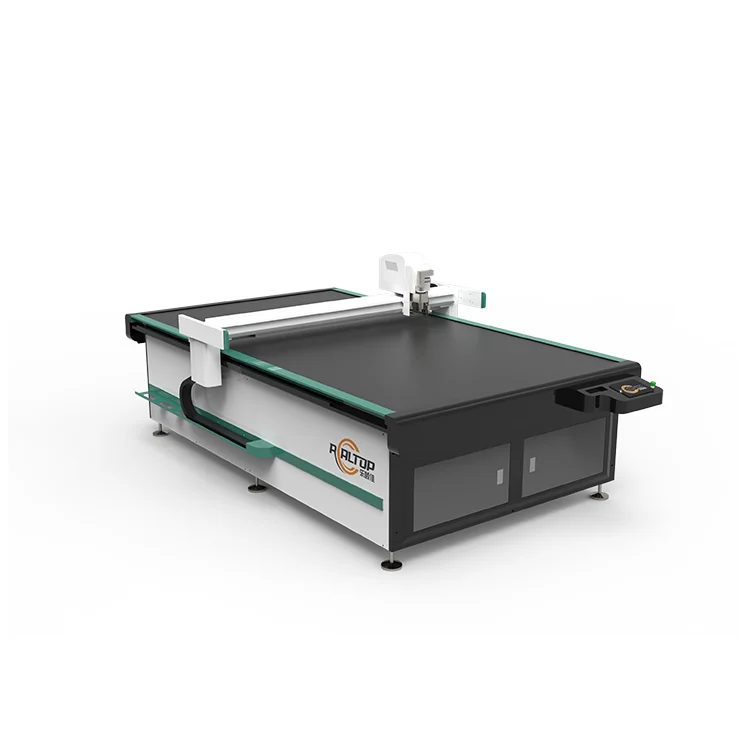
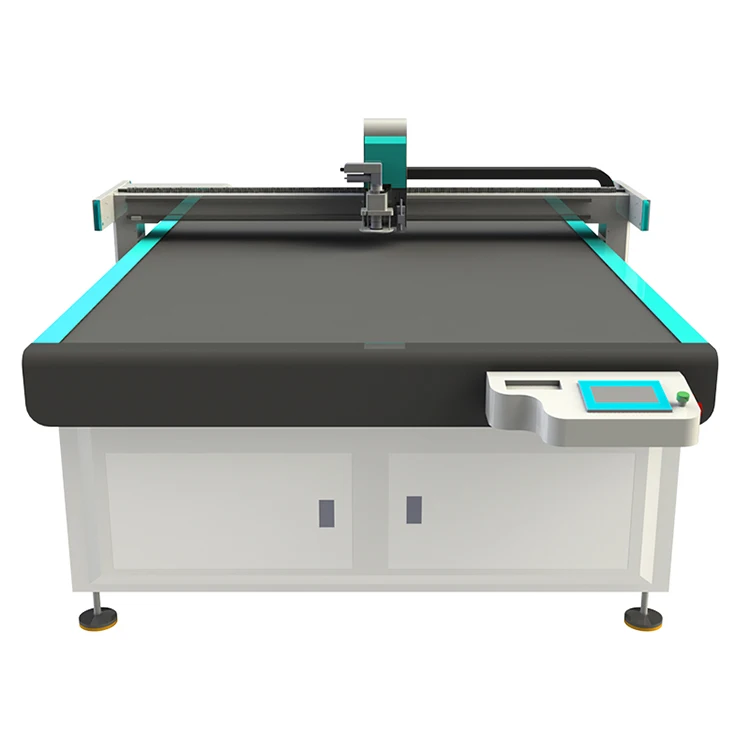
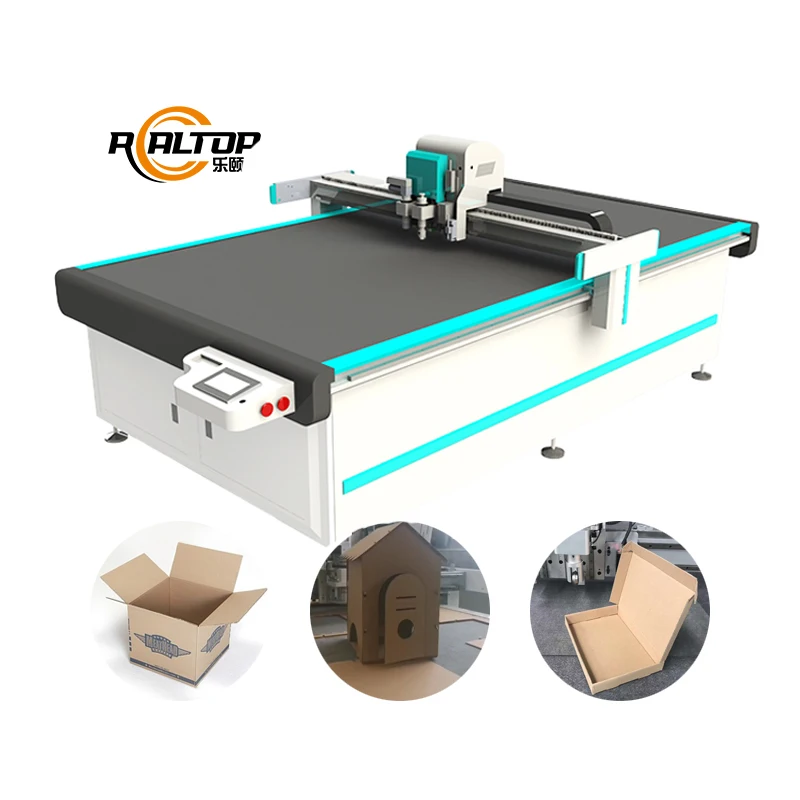
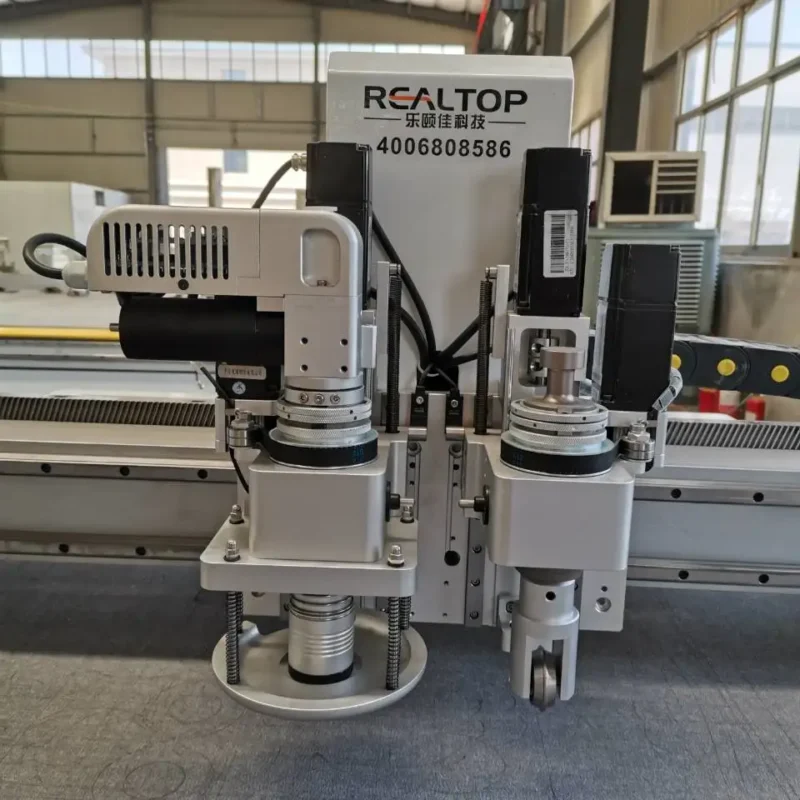
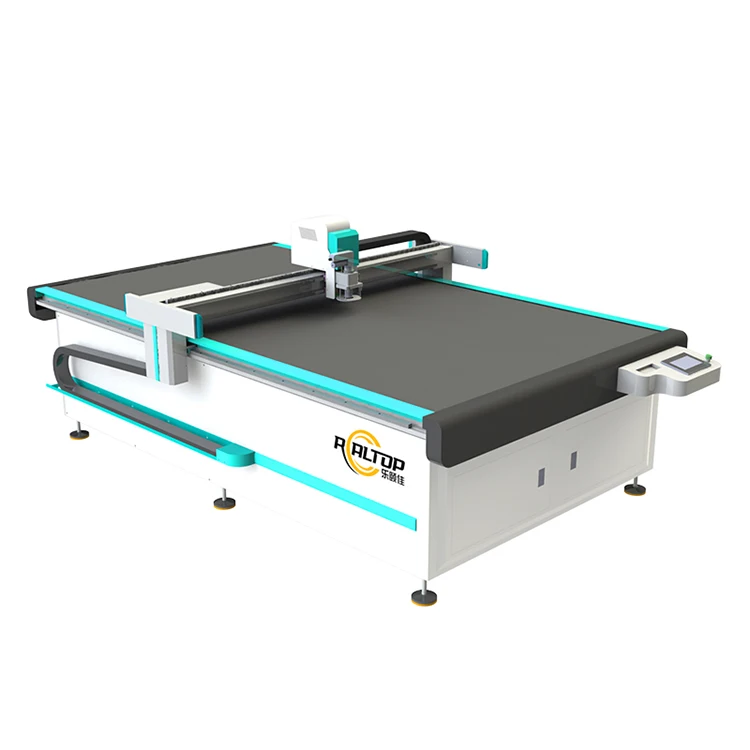
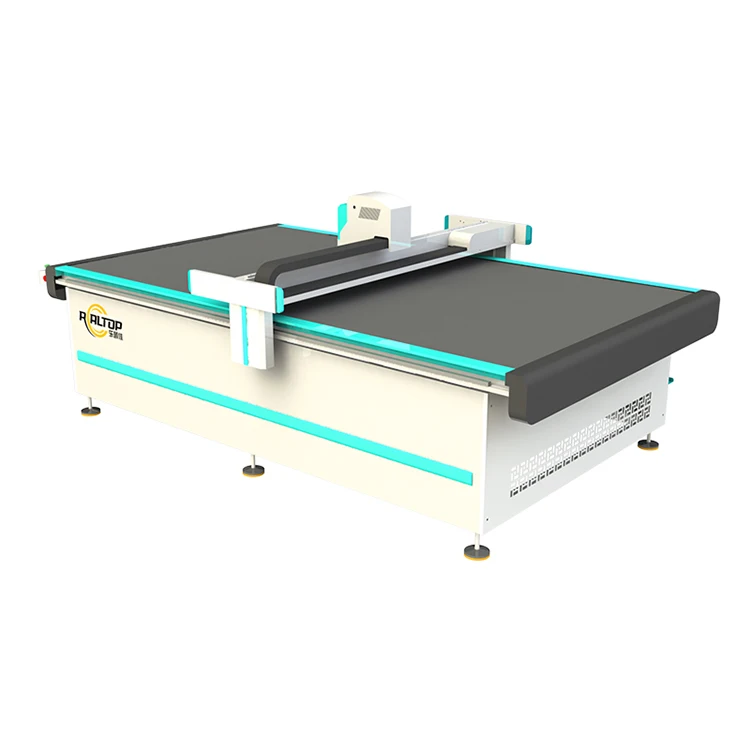
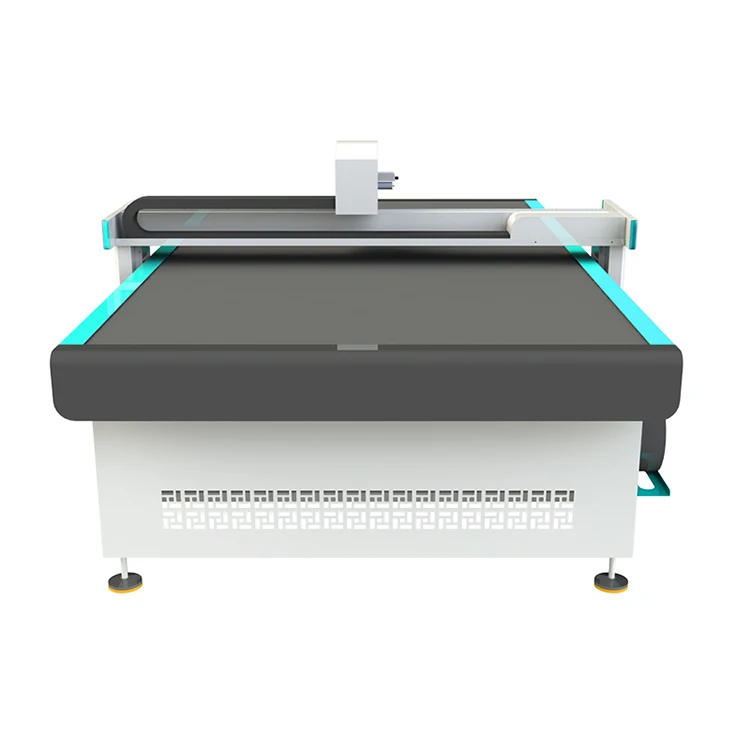
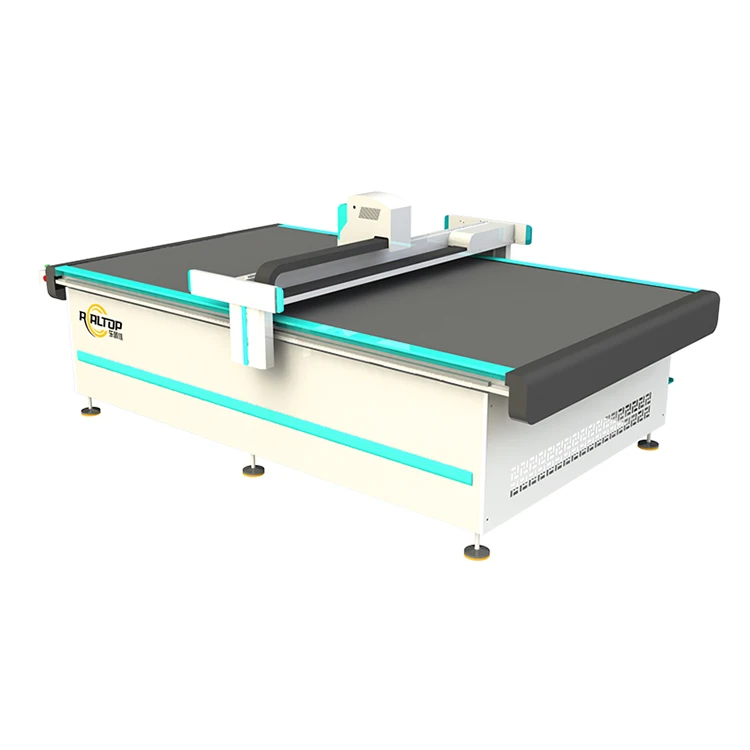
Tool head and table configuration specified per material and production volume — the T series Digital Cutting and Creasing Machine pairs interchangeable knife, creasing and kiss-cutting tools with a zoned vacuum bed, so a packaging sample shop can switch from 2mm greyboard to self-adhesive vinyl without forcing a compromise on edge quality.
Technical Specifications
| Parameter | Value |
|---|---|
| Product Type | Digital Cutting and Creasing Machine |
| Series | T series |
| Automation Level | Fully automatic feeding, cutting and picking |
| Tool Head Functions | Cutting, creasing, kiss-cutting, dotted-line cutting |
| Positioning System | CCD auto positioning |
| Control Panel | HD touch control panel |
| Control System | Automatic intelligent control system |
| Connectivity | Network port |
| Working Area | (basis not stated in source — confirm bed size and format) |
| Max Cutting Thickness | (basis not stated in source — confirm material type and thickness) |
| Voltage & Frequency | (basis not stated in source — confirm target market voltage) |
| Overall Dimensions | (basis not stated in source — confirm machine footprint) |
| Net Weight | (basis not stated in source — confirm machine weight) |
| Rated Power | (basis not stated in source — confirm motor power) |
| Vacuum Zones | (basis not stated in source — confirm table zoning configuration) |
| Software & File Formats | (basis not stated in source — confirm compatible formats) |
Application Suitability
| Application | Material or Output |
|---|---|
| Packaging and carton sample making | Greyboard, corrugated board, coated paper, card stock |
| Small-batch and individualized product processing | Custom die-cut shapes, short-run folding carton prototypes |
| Advertising and signage label die-cutting | Self-adhesive labels, vinyl, PP sheet, PVC sheet |
| Post-print finishing in graphic industry | Printed cardboard, laminated sheets, graphic display materials |
Why the Tool Head Matters More Than the Bed Size
A Digital Cutting and Creasing Machine specified on working area alone often fails the moment it meets the actual material. The right tool head and table configuration must be matched to the stock before the order is placed. I spent years on workshop floors in Jinan watching buyers unbox a machine that fit their floor space perfectly but could not push a creasing wheel through high-density greyboard. The bed was big enough; the tool simply lacked the downforce. That mismatch is the most common reason a post-print finishing line stalls in its first month [NEED_CITE: common causes of CNC cutting machine rejection at commissioning]. Buyers who send sample sheets before commitment avoid this entire problem.
Matching the Cutting Method to the Post-Print Workflow
The T series Digital Cutting and Creasing Machine sits inside a broader catalogue where knife cutting and laser cutting are both available, and choosing between them depends on the stock you run daily. Cardboard, corrugated composites and self-adhesive labels respond well to oscillating and drag knife heads, which produce clean edges without thermal sealing. Laser methods suit acrylic and certain coated films where a sealed edge is required. Confirming which process fits your material before narrowing to a model prevents costly reconfiguration later.
How CCD Positioning Changes Post-Print Accuracy
Printed contour work demands that the cutting path follow the actual print, not the theoretical file. The CCD auto positioning system on this Digital Cutting and Creasing Machine reads registration marks on the sheet and adjusts the cut path in real time, compensating for stretch or skew introduced during printing. This matters especially on flexible substrates like self-adhesive vinyl, where even slight deformation between print and cut produces visible misalignment on the finished label [NEED_CITE: CCD contour recognition tolerances in digital finishing]. Shops running short-batch or individualized products benefit directly, because each sheet may deform differently.
Reading the Spec Sheet Against Your Actual Stock
Four parameters decide whether this machine handles your daily workload. Tool head downforce determines if a creasing wheel can score 2mm greyboard cleanly without cracking the surface coating. Vacuum zone configuration controls whether small label parts stay flat during cutting or lift and shift under the knife. CCD recognition speed defines how fast the machine can track printed marks without pausing for each sheet. Software file format support decides if your existing nesting files import directly or require re-drawing. Each of these must be confirmed against the specific material and sheet size you process, not assumed from a general brochure.
What Happens When Configuration Is Skipped
I recall a packaging sample maker who ordered a flatbed cutter based purely on bed dimensions. When high-density greyboard plus corrugated composite arrived on their floor, the creasing tool could not penetrate the full thickness. Every sample box was scrapped, and the buyer blamed the machine. The real issue was a specification conversation that never happened. A Digital Cutting and Creasing Machine configured without sample cutting on the buyer’s own material is an assumption, not a solution [NEED_CITE: risk of material-tool mismatch in CNC finishing equipment]. The cost shows up as wasted stock, missed sample deadlines and lost client confidence.
Why Buyers Source This Range Here
In-house design and production cover both knife and laser cutting technologies, so a buyer can match the cutting method to the material rather than force one method across every job. Tool head and table configuration is specified per material and production volume, not left to a default setting. CCD camera positioning for printed contour work is verified on the buyer’s own printed sheets before shipment. Software compatibility is confirmed before the order, so nesting and file import workflows are validated early. Sample cutting on the buyer’s actual material is standard practice, not an optional extra. Voltage, language and control panel customization are handled before the machine leaves the factory.
Documentation & Verification
- Machine specification sheet listing working area, tool head options and cutting thickness matched to your stock
- Sample cutting report produced on your own cardboard or label material before commitment
- Software licence and file format compatibility note confirming import and nesting workflow
- Electrical schematic and voltage confirmation for your target market grid
- Factory test record documenting performance on your specified material range
- Operation and maintenance manual with tool head changeover procedures
Installation, Commissioning & Support
- Floor space and level concrete pad requirements based on the confirmed machine footprint and weight
- Dedicated electrical circuit sized to the rated power and confirmed voltage and frequency
- Machine delivered in modular sections with assembly and alignment completed on site
- First-run commissioning with tool head downforce and vacuum zone calibration on your material
- Operator training covering CCD mark recognition, file import and tool changeover procedures
- Spare parts list covering oscillating blades, creasing wheels and vacuum pump consumables
Before You Request a Quote
Send the material type, thickness and maximum sheet size you process most often. Specify your local voltage and frequency, the control language your operators need, and whether your existing design files use DXF, PLT or another format. If your workflow involves printed contour cutting, include a few printed sample sheets so the CCD system can be tested against your actual print quality. This information lets us recommend the correct tool head, vacuum configuration and bed size before a quotation is issued.
Frequently Asked Questions
Q: How do I decide between knife cutting and laser cutting for my post-print material?
A: Knife cutting suits cardboard, corrugated board, self-adhesive labels and PP or PVC sheets where a clean mechanical edge is needed. Laser cutting works on acrylic, certain coated films and materials requiring a thermally sealed edge. We review your specific material samples and recommend the method that delivers the required edge quality without compromising throughput.
Q: What working area should I specify for my packaging sample operation?
A: The correct bed size depends on your largest sheet format and whether you run full-sheet nesting or individual sample cutting. A bed that is too small forces you to cut sheets in sections, reducing accuracy. We confirm your typical sheet dimensions and daily volume before recommending a working area configuration.
Q: What printed mark types does the CCD system recognize at production speed?
A: The CCD auto positioning system reads standard registration marks on printed sheets and adjusts the cut path accordingly. Recognition reliability depends on mark contrast, size and print quality. We test the CCD against your own printed samples to confirm tracking accuracy before the machine ships.
Q: Which tool head combination fits a mixed workflow of cardboard and self-adhesive labels?
A: A typical setup pairs an oscillating knife for thicker board with a drag knife or kiss-cut tool for thin self-adhesive materials, plus a creasing wheel for fold lines. The T series integrates multiple tool functions in one station. We recommend the combination after reviewing your material range and sample requirements.
Q: Will my existing design and nesting software files work with this machine?
A: File format compatibility depends on the nesting and design software you currently use. We confirm supported formats, including DXF and PLT, before the order is placed. A software licence and compatibility note is included in the documentation package to ensure your workflow transfers smoothly.
Tool head and table configuration specified per material and production volume — the T series Digital Cutting and Creasing Machine pairs interchangeable knife, creasing and kiss-cutting tools with a zoned vacuum bed, so a packaging sample shop can switch from 2mm greyboard to self-adhesive vinyl without forcing a compromise on edge quality.
Technical Specifications
| Parameter | Value |
|---|---|
| Product Type | Digital Cutting and Creasing Machine |
| Series | T series |
| Automation Level | Fully automatic feeding, cutting and picking |
| Tool Head Functions | Cutting, creasing, kiss-cutting, dotted-line cutting |
| Positioning System | CCD auto positioning |
| Control Panel | HD touch control panel |
| Control System | Automatic intelligent control system |
| Connectivity | Network port |
| Working Area | (basis not stated in source — confirm bed size and format) |
| Max Cutting Thickness | (basis not stated in source — confirm material type and thickness) |
| Voltage & Frequency | (basis not stated in source — confirm target market voltage) |
| Overall Dimensions | (basis not stated in source — confirm machine footprint) |
| Net Weight | (basis not stated in source — confirm machine weight) |
| Rated Power | (basis not stated in source — confirm motor power) |
| Vacuum Zones | (basis not stated in source — confirm table zoning configuration) |
| Software & File Formats | (basis not stated in source — confirm compatible formats) |
Application Suitability
| Application | Material or Output |
|---|---|
| Packaging and carton sample making | Greyboard, corrugated board, coated paper, card stock |
| Small-batch and individualized product processing | Custom die-cut shapes, short-run folding carton prototypes |
| Advertising and signage label die-cutting | Self-adhesive labels, vinyl, PP sheet, PVC sheet |
| Post-print finishing in graphic industry | Printed cardboard, laminated sheets, graphic display materials |
Why the Tool Head Matters More Than the Bed Size
A Digital Cutting and Creasing Machine specified on working area alone often fails the moment it meets the actual material. The right tool head and table configuration must be matched to the stock before the order is placed. I spent years on workshop floors in Jinan watching buyers unbox a machine that fit their floor space perfectly but could not push a creasing wheel through high-density greyboard. The bed was big enough; the tool simply lacked the downforce. That mismatch is the most common reason a post-print finishing line stalls in its first month [NEED_CITE: common causes of CNC cutting machine rejection at commissioning]. Buyers who send sample sheets before commitment avoid this entire problem.
Matching the Cutting Method to the Post-Print Workflow
The T series Digital Cutting and Creasing Machine sits inside a broader catalogue where knife cutting and laser cutting are both available, and choosing between them depends on the stock you run daily. Cardboard, corrugated composites and self-adhesive labels respond well to oscillating and drag knife heads, which produce clean edges without thermal sealing. Laser methods suit acrylic and certain coated films where a sealed edge is required. Confirming which process fits your material before narrowing to a model prevents costly reconfiguration later.
How CCD Positioning Changes Post-Print Accuracy
Printed contour work demands that the cutting path follow the actual print, not the theoretical file. The CCD auto positioning system on this Digital Cutting and Creasing Machine reads registration marks on the sheet and adjusts the cut path in real time, compensating for stretch or skew introduced during printing. This matters especially on flexible substrates like self-adhesive vinyl, where even slight deformation between print and cut produces visible misalignment on the finished label [NEED_CITE: CCD contour recognition tolerances in digital finishing]. Shops running short-batch or individualized products benefit directly, because each sheet may deform differently.
Reading the Spec Sheet Against Your Actual Stock
Four parameters decide whether this machine handles your daily workload. Tool head downforce determines if a creasing wheel can score 2mm greyboard cleanly without cracking the surface coating. Vacuum zone configuration controls whether small label parts stay flat during cutting or lift and shift under the knife. CCD recognition speed defines how fast the machine can track printed marks without pausing for each sheet. Software file format support decides if your existing nesting files import directly or require re-drawing. Each of these must be confirmed against the specific material and sheet size you process, not assumed from a general brochure.
What Happens When Configuration Is Skipped
I recall a packaging sample maker who ordered a flatbed cutter based purely on bed dimensions. When high-density greyboard plus corrugated composite arrived on their floor, the creasing tool could not penetrate the full thickness. Every sample box was scrapped, and the buyer blamed the machine. The real issue was a specification conversation that never happened. A Digital Cutting and Creasing Machine configured without sample cutting on the buyer’s own material is an assumption, not a solution [NEED_CITE: risk of material-tool mismatch in CNC finishing equipment]. The cost shows up as wasted stock, missed sample deadlines and lost client confidence.
Why Buyers Source This Range Here
In-house design and production cover both knife and laser cutting technologies, so a buyer can match the cutting method to the material rather than force one method across every job. Tool head and table configuration is specified per material and production volume, not left to a default setting. CCD camera positioning for printed contour work is verified on the buyer’s own printed sheets before shipment. Software compatibility is confirmed before the order, so nesting and file import workflows are validated early. Sample cutting on the buyer’s actual material is standard practice, not an optional extra. Voltage, language and control panel customization are handled before the machine leaves the factory.
Documentation & Verification
- Machine specification sheet listing working area, tool head options and cutting thickness matched to your stock
- Sample cutting report produced on your own cardboard or label material before commitment
- Software licence and file format compatibility note confirming import and nesting workflow
- Electrical schematic and voltage confirmation for your target market grid
- Factory test record documenting performance on your specified material range
- Operation and maintenance manual with tool head changeover procedures
Installation, Commissioning & Support
- Floor space and level concrete pad requirements based on the confirmed machine footprint and weight
- Dedicated electrical circuit sized to the rated power and confirmed voltage and frequency
- Machine delivered in modular sections with assembly and alignment completed on site
- First-run commissioning with tool head downforce and vacuum zone calibration on your material
- Operator training covering CCD mark recognition, file import and tool changeover procedures
- Spare parts list covering oscillating blades, creasing wheels and vacuum pump consumables
Before You Request a Quote
Send the material type, thickness and maximum sheet size you process most often. Specify your local voltage and frequency, the control language your operators need, and whether your existing design files use DXF, PLT or another format. If your workflow involves printed contour cutting, include a few printed sample sheets so the CCD system can be tested against your actual print quality. This information lets us recommend the correct tool head, vacuum configuration and bed size before a quotation is issued.
Frequently Asked Questions
Q: How do I decide between knife cutting and laser cutting for my post-print material?
A: Knife cutting suits cardboard, corrugated board, self-adhesive labels and PP or PVC sheets where a clean mechanical edge is needed. Laser cutting works on acrylic, certain coated films and materials requiring a thermally sealed edge. We review your specific material samples and recommend the method that delivers the required edge quality without compromising throughput.
Q: What working area should I specify for my packaging sample operation?
A: The correct bed size depends on your largest sheet format and whether you run full-sheet nesting or individual sample cutting. A bed that is too small forces you to cut sheets in sections, reducing accuracy. We confirm your typical sheet dimensions and daily volume before recommending a working area configuration.
Q: What printed mark types does the CCD system recognize at production speed?
A: The CCD auto positioning system reads standard registration marks on printed sheets and adjusts the cut path accordingly. Recognition reliability depends on mark contrast, size and print quality. We test the CCD against your own printed samples to confirm tracking accuracy before the machine ships.
Q: Which tool head combination fits a mixed workflow of cardboard and self-adhesive labels?
A: A typical setup pairs an oscillating knife for thicker board with a drag knife or kiss-cut tool for thin self-adhesive materials, plus a creasing wheel for fold lines. The T series integrates multiple tool functions in one station. We recommend the combination after reviewing your material range and sample requirements.
Q: Will my existing design and nesting software files work with this machine?
A: File format compatibility depends on the nesting and design software you currently use. We confirm supported formats, including DXF and PLT, before the order is placed. A software licence and compatibility note is included in the documentation package to ensure your workflow transfers smoothly.
商品评价
There are no reviews yet.