
![【目标站】lyjcut.com → 全品类目录类角色(FULL CATALOGUE) 【记录ID】8949 → 8+9+4+9=30 句式:30 mod 6 = 0 → [品类词] for [应用或物料] – [站点修饰词] 修饰词:30 mod 3 = 0 → Manufacturer Digital Vinyl Cutter Plotter for Advertising Board – Manufacturer - Image 1](https://lyjcut.com/wp-content/uploads/2026/03/S22bfcf8aa7fa457f807156c6856bebdc7.webp "S22bfcf8aa7fa457f807156c6856bebdc7.webp")
![【目标站】lyjcut.com → 全品类目录类角色(FULL CATALOGUE) 【记录ID】8949 → 8+9+4+9=30 句式:30 mod 6 = 0 → [品类词] for [应用或物料] – [站点修饰词] 修饰词:30 mod 3 = 0 → Manufacturer Digital Vinyl Cutter Plotter for Advertising Board – Manufacturer - Image 2](https://lyjcut.com/wp-content/uploads/2026/03/Sc49b08275dfb41f4ac855d38207415ebp.webp "Sc49b08275dfb41f4ac855d38207415ebp.webp")
![【目标站】lyjcut.com → 全品类目录类角色(FULL CATALOGUE) 【记录ID】8949 → 8+9+4+9=30 句式:30 mod 6 = 0 → [品类词] for [应用或物料] – [站点修饰词] 修饰词:30 mod 3 = 0 → Manufacturer Digital Vinyl Cutter Plotter for Advertising Board – Manufacturer - Image 3](https://lyjcut.com/wp-content/uploads/2026/03/S0c2311a0654944998edbf79a13fb3f8ft.webp "S0c2311a0654944998edbf79a13fb3f8ft.webp")
![【目标站】lyjcut.com → 全品类目录类角色(FULL CATALOGUE) 【记录ID】8949 → 8+9+4+9=30 句式:30 mod 6 = 0 → [品类词] for [应用或物料] – [站点修饰词] 修饰词:30 mod 3 = 0 → Manufacturer Digital Vinyl Cutter Plotter for Advertising Board – Manufacturer - Image 4](https://lyjcut.com/wp-content/uploads/2026/03/S89abb4dff66643fdac684f9bd233bba9B.webp "S89abb4dff66643fdac684f9bd233bba9B.webp")
![【目标站】lyjcut.com → 全品类目录类角色(FULL CATALOGUE) 【记录ID】8949 → 8+9+4+9=30 句式:30 mod 6 = 0 → [品类词] for [应用或物料] – [站点修饰词] 修饰词:30 mod 3 = 0 → Manufacturer Digital Vinyl Cutter Plotter for Advertising Board – Manufacturer - Image 5](https://lyjcut.com/wp-content/uploads/2026/03/S287ddf8949da4507aa421c3ec13a51ec4.webp "S287ddf8949da4507aa421c3ec13a51ec4.webp")
![【目标站】lyjcut.com → 全品类目录类角色(FULL CATALOGUE) 【记录ID】8949 → 8+9+4+9=30 句式:30 mod 6 = 0 → [品类词] for [应用或物料] – [站点修饰词] 修饰词:30 mod 3 = 0 → Manufacturer Digital Vinyl Cutter Plotter for Advertising Board – Manufacturer - Image 6](https://lyjcut.com/wp-content/uploads/2026/03/S3ade452de192484ca2daf5ba104421abw.webp "S3ade452de192484ca2daf5ba104421abw.webp")

Fast Delivery
Quick, reliable shipping to any location.

Free & easy returns
Return this item by mail or in store within 90 days for a full refund.
Integrated Knife and Laser Platform — In-house engineering covers both cutting technologies, allowing each buyer to match the method to the actual material rather than forcing one approach across every job.
Technical Specifications
| Parameter | Value |
|---|---|
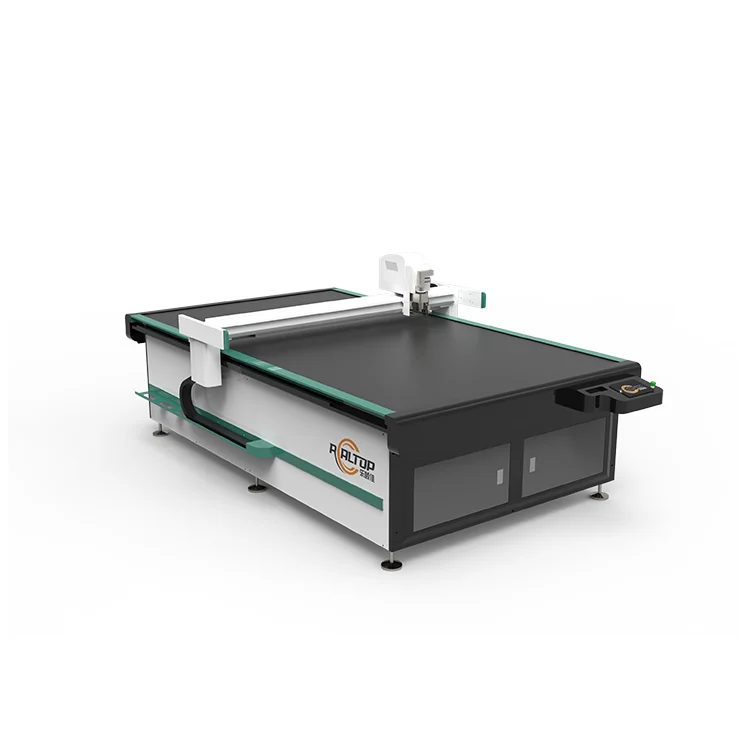
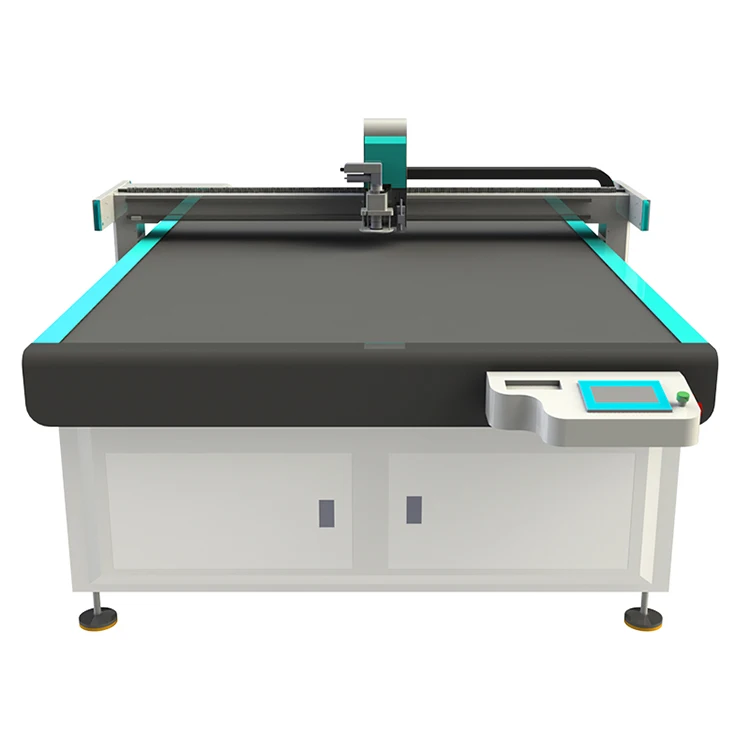
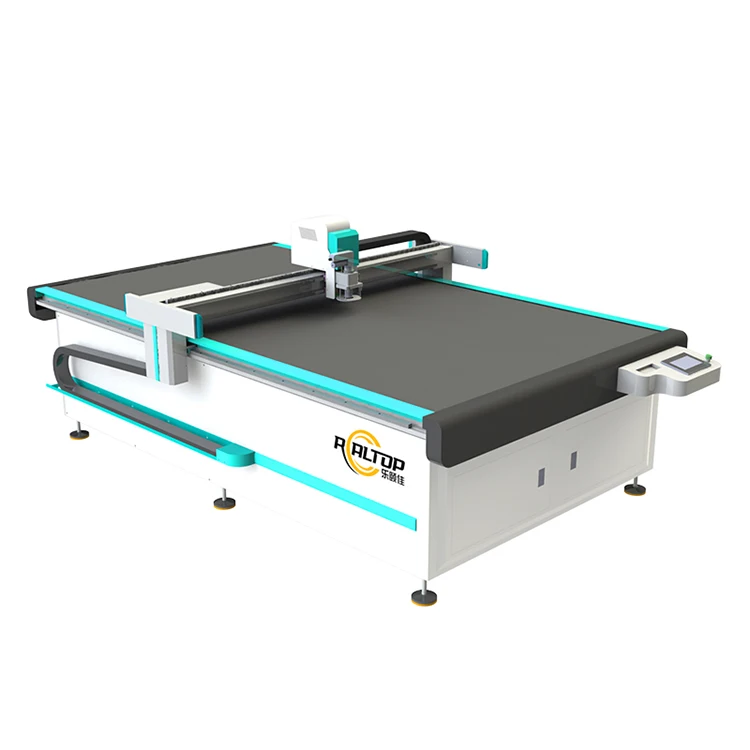
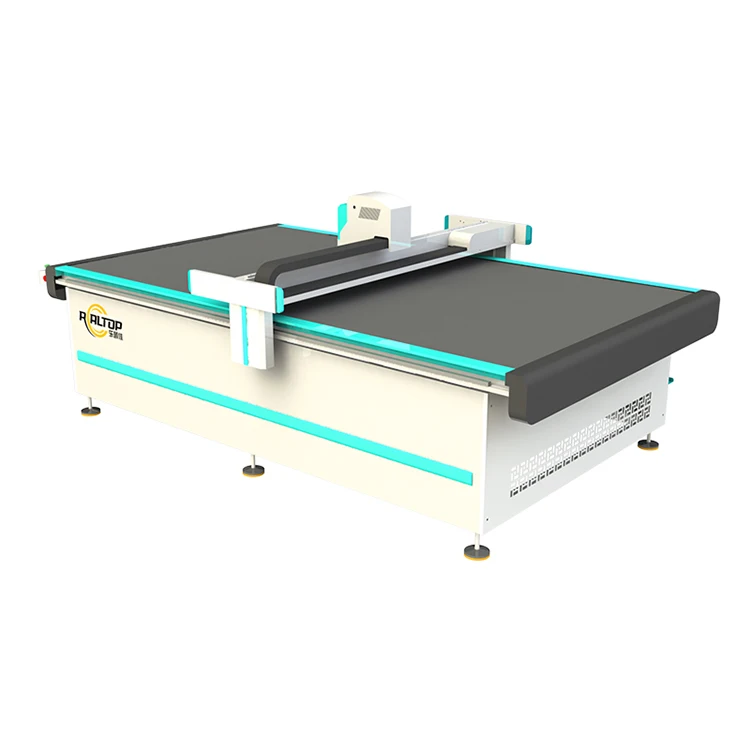
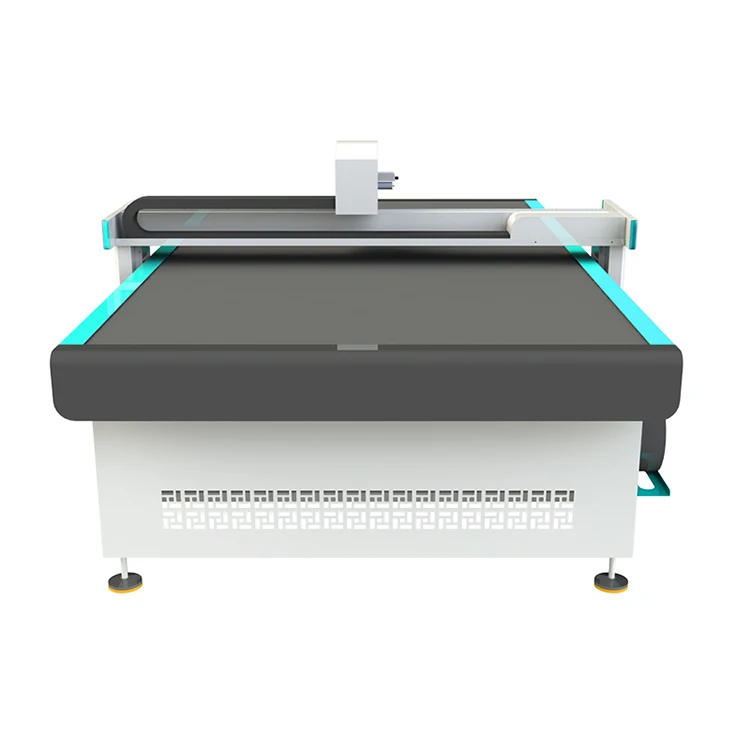
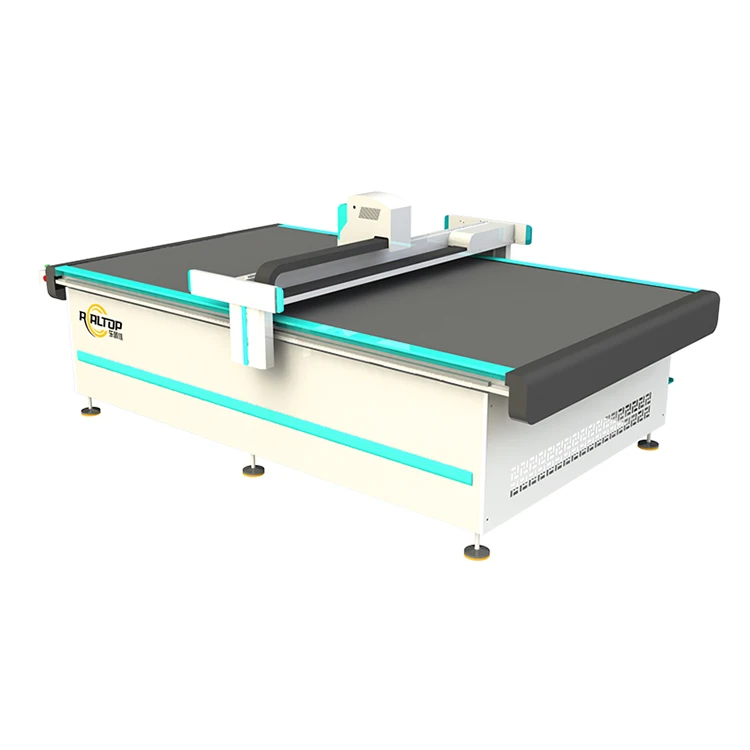
| Product Type | CNC Digital Cutting Plotter |
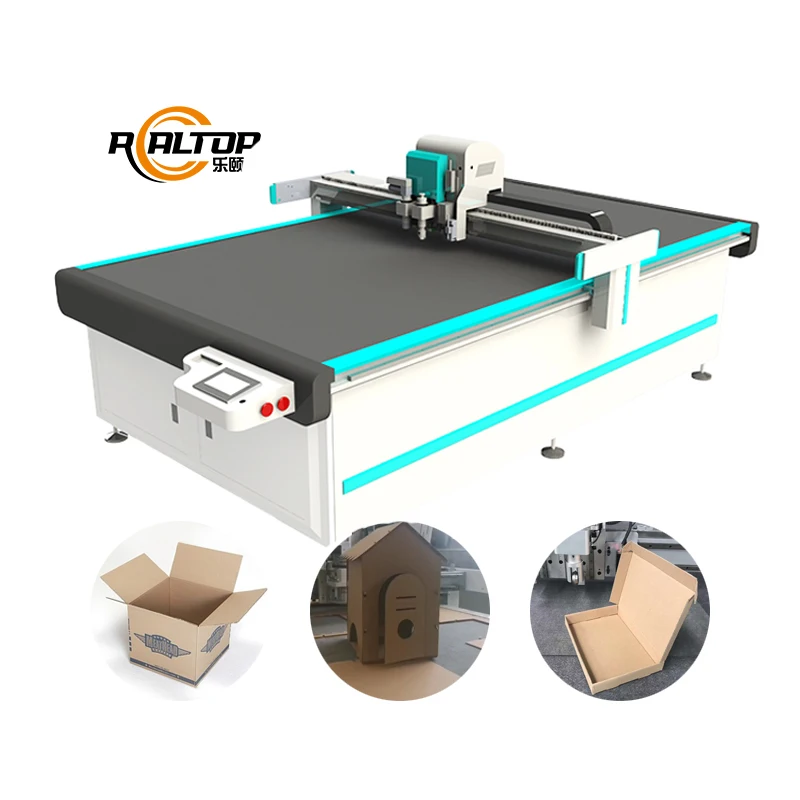
| Working Area Options | 400×600 mm / 600×800 mm / 900×1200 mm |
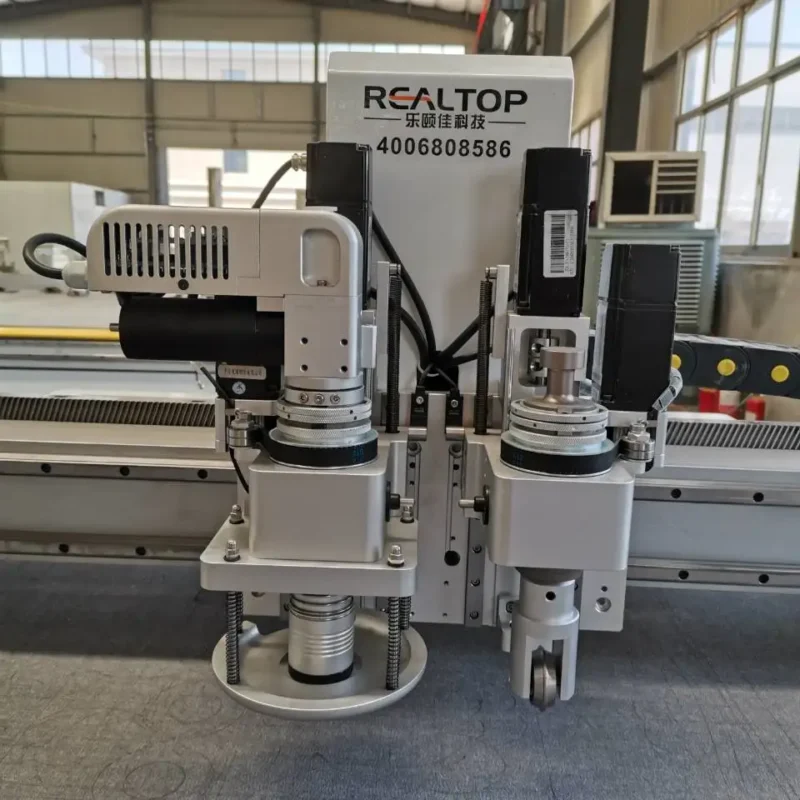
| Tool Head Compatibility | Oscillating knife, Creasing wheel, Kiss cutting tool, CCD camera, Marking pen |
| Cutting Speed | 0–1500 mm/s |
| Cutting Thickness Capacity | ≤ 20 mm (basis not stated in source — confirm material type and density) |
| Positioning Accuracy | ±0.1 mm |
| Vacuum Pump | 2.5 kW / 3.2 kW options |
| Voltage | 110V, 220V configurable |
| File Format Support | PLT, DXF, AI, PDF |
| Safety Features | Infrared sensor device, emergency stop |
| Software Language Options | English, Russian, Italian, Chinese (customizable) |
| Assembly State | Desktop structure |
Application Suitability
| Application | Material or Output |
|---|---|
| Advertising and signage production | Self-adhesive vinyl, PVC stickers, printed carton, acrylic sign engraving |
| Packaging and carton sample making | Cardboard, cardstock (≤2 mm), printed carton, corrugated board |
| Craft and cultural design studios | Leather tags, paper-cut lamps, 3D greeting cards, photo backing paper |
| Light industrial gasket and prototype work | Electronic foam gaskets, packaging prototype sampling on foam and card |
| Education and teaching aid production | Puzzles, science templates, cardstock teaching aids |
Why the Tool Head Matters More Than the Working Area for a Digital Vinyl Cutter Plotter
Matching the tool head to the material prevents ragged edges and crushed surfaces before the machine ever ships.
I once watched a buyer in Guadalajara specify a plotter purely on sheet size, only to find the oscillating knife could not handle the density of their PVC foam board at production speed. The edges came out fuzzy, the vacuum table could not hold smaller pieces flat, and the entire first week of production stalled while replacement tooling was air-freighted. A digital cutter plotter for sale is only as useful as the tool head configuration that actually fits the material on the floor [NEED_CITE:].
Surveying the Complete Cutting Method Range
When buyers first approach a digital cutter plotter for sale, the immediate instinct is to filter by working area. That step is necessary but not sufficient. The real decision tree starts with the material — its type, density, thickness, and whether it has printed registration marks — and then moves to the cutting method. Oscillating knife handles thicker foams and gaskets cleanly, while a kiss cutting tool suits thin vinyl and sticker stock without cutting through the backing liner. This catalogue approach lets production managers see every configuration before narrowing down.
Matching Knife, CCD, and Creasing to the Job
The platform supports an oscillating knife for cutting through board and foam, a creasing wheel for fold lines on carton samples, and a CCD camera that reads printed registration marks for contour cutting on pre-printed graphics. Each tool head addresses a different production need, and the ability to mount them on one platform means a signage shop can cut vinyl decals in the morning and score carton prototypes in the afternoon. For buyers evaluating a full digital cutter plotter lineup, this flexibility reduces the risk of locking into a single-purpose machine that cannot adapt when the order mix changes [NEED_CITE: industrial cutting plotter tool head versatility].
Reading the Specs That Actually Affect Output Quality
Cutting speed is listed at 0–1500 mm/s, but the usable speed depends entirely on the material and the chosen tool head. Thin self-adhesive vinyl runs smoothly at higher speeds, while dense foam requires slower passes to avoid deflecting the blade. The ±0.1 mm positioning accuracy matters most when the CCD camera is tracing printed contours — a registration mark that shifts even half a millimetre means the cut line misses the graphic edge. Vacuum pump options at 2.5 kW and 3.2 kW serve different table sizes and hold-down requirements; smaller parts on a larger table need sufficient vacuum zoning to prevent lifting mid-cut. The software accepts PLT, DXF, AI, and PDF directly, which eliminates a conversion step that often introduces errors in contour alignment.
The Hidden Cost of Specifying the Wrong Configuration
A plotter bought on working area alone often arrives with a vacuum table that cannot zone down for small parts, leaving vinyl decals lifting off the surface during cutting. When the control language and voltage are not confirmed before shipment, the machine may arrive with a 220V motor and Chinese-language software in a 110V workshop where the operator reads only Spanish. These are not defects — they are specification gaps that surface only after installation, when production time is already lost and return shipping is not practical [NEED_CITE: industrial equipment voltage mismatch consequences].
What Differentiates This Catalogue from a Brochure Listing
The design team covers both knife and laser cutting, so a buyer evaluating this digital cutter plotter range can compare methods side by side rather than being pushed toward whichever machine is in stock. Tool head and table configurations are specified per material and production volume, not assigned as a default package. CCD camera positioning is included as a configurable option for printed contour work, with sample cutting performed on the buyer’s own material before any commitment is made. Voltage, language, and software settings are confirmed before the machine enters production. Every unit ships with a factory test record documenting performance on the specified material.
Documentation & Verification
- Factory test record cut on buyer-supplied material before dispatch
- Tool head and table configuration list matched to specified material thickness
- Software licence and file format compatibility note for AI, DXF, PLT, PDF workflows
- Electrical schematic with voltage and plug type confirmed for destination market
- CE declaration included where applicable for the configured machine
- Sample cutting report provided on buyer material prior to order confirmation
Installation, Commissioning & Support
- Dedicated circuit required matching the 110V or 220V specification and vacuum pump draw
- Desktop assembly state arrives as a compact unit; verify workshop doorway clearance for the 900×1200 mm model
- First-run parameter setting includes vacuum zone mapping and CCD mark calibration on your stock
- Operator training covers tool head changeover between oscillating knife, creasing wheel, and kiss cutting
- Spare parts list provided covering blade holders, cutting mats, and vacuum seals
What to Share Before Requesting a Quotation
Send the material type, thickness, and sheet dimensions you run most often, along with the file format your design team currently uses. Specify the voltage and frequency at your facility and the preferred control language for the operator interface. If your work involves printed graphics, include a sample sheet with your registration marks so the CCD tracking can be tested before the configuration is finalized.
Frequently Asked Questions
Q: How do I choose the right working area size for my sheet material?
A: Start with the largest sheet you process regularly and add margin for clamping and alignment. The 400×600 mm desktop model suits craft studios and small signage shops, while the 900×1200 mm handles mid-format packaging samples and advertising boards. Consider whether you nest multiple smaller parts on a single sheet — that workflow benefits from the larger table.
Q: Which tool head should I use for my material?
A: Oscillating knife works for foam, gasket, and thicker board where a clean through-cut is needed. Kiss cutting suits thin vinyl and sticker materials where the backing liner must remain intact. The creasing wheel scores fold lines on carton and cardstock. Matching the head to the material prevents edge damage and tool wear.
Q: Will the CCD camera track my printed registration marks at production speed?
A: The CCD system reads printed marks for contour cutting, but tracking reliability depends on mark contrast, size, and the speed setting. Request a sample cutting test on your printed stock so the camera response can be verified on your specific ink and substrate before the machine ships.
Q: How are voltage, plug type, and software language confirmed?
A: These are confirmed during the specification stage before production begins. Provide your local voltage, frequency, and plug standard along with the preferred operator language. The machine is wired and configured accordingly, and the electrical schematic is included in the documentation package.
Q: Can I send my own material for sample cutting before ordering?
A: Yes. Sending your material allows the factory to test tool head selection, cutting speed, vacuum hold-down, and CCD tracking on the exact stock you will run. A sample cutting report is returned with the results, so you can evaluate edge quality and accuracy before confirming the order.
Integrated Knife and Laser Platform — In-house engineering covers both cutting technologies, allowing each buyer to match the method to the actual material rather than forcing one approach across every job.
Technical Specifications
| Parameter | Value |
|---|---|
| Product Type | CNC Digital Cutting Plotter |
| Working Area Options | 400×600 mm / 600×800 mm / 900×1200 mm |
| Tool Head Compatibility | Oscillating knife, Creasing wheel, Kiss cutting tool, CCD camera, Marking pen |
| Cutting Speed | 0–1500 mm/s |
| Cutting Thickness Capacity | ≤ 20 mm (basis not stated in source — confirm material type and density) |
| Positioning Accuracy | ±0.1 mm |
| Vacuum Pump | 2.5 kW / 3.2 kW options |
| Voltage | 110V, 220V configurable |
| File Format Support | PLT, DXF, AI, PDF |
| Safety Features | Infrared sensor device, emergency stop |
| Software Language Options | English, Russian, Italian, Chinese (customizable) |
| Assembly State | Desktop structure |
Application Suitability
| Application | Material or Output |
|---|---|
| Advertising and signage production | Self-adhesive vinyl, PVC stickers, printed carton, acrylic sign engraving |
| Packaging and carton sample making | Cardboard, cardstock (≤2 mm), printed carton, corrugated board |
| Craft and cultural design studios | Leather tags, paper-cut lamps, 3D greeting cards, photo backing paper |
| Light industrial gasket and prototype work | Electronic foam gaskets, packaging prototype sampling on foam and card |
| Education and teaching aid production | Puzzles, science templates, cardstock teaching aids |
Why the Tool Head Matters More Than the Working Area for a Digital Vinyl Cutter Plotter
Matching the tool head to the material prevents ragged edges and crushed surfaces before the machine ever ships.
I once watched a buyer in Guadalajara specify a plotter purely on sheet size, only to find the oscillating knife could not handle the density of their PVC foam board at production speed. The edges came out fuzzy, the vacuum table could not hold smaller pieces flat, and the entire first week of production stalled while replacement tooling was air-freighted. A digital cutter plotter for sale is only as useful as the tool head configuration that actually fits the material on the floor [NEED_CITE:].
Surveying the Complete Cutting Method Range
When buyers first approach a digital cutter plotter for sale, the immediate instinct is to filter by working area. That step is necessary but not sufficient. The real decision tree starts with the material — its type, density, thickness, and whether it has printed registration marks — and then moves to the cutting method. Oscillating knife handles thicker foams and gaskets cleanly, while a kiss cutting tool suits thin vinyl and sticker stock without cutting through the backing liner. This catalogue approach lets production managers see every configuration before narrowing down.
Matching Knife, CCD, and Creasing to the Job
The platform supports an oscillating knife for cutting through board and foam, a creasing wheel for fold lines on carton samples, and a CCD camera that reads printed registration marks for contour cutting on pre-printed graphics. Each tool head addresses a different production need, and the ability to mount them on one platform means a signage shop can cut vinyl decals in the morning and score carton prototypes in the afternoon. For buyers evaluating a full digital cutter plotter lineup, this flexibility reduces the risk of locking into a single-purpose machine that cannot adapt when the order mix changes [NEED_CITE: industrial cutting plotter tool head versatility].
Reading the Specs That Actually Affect Output Quality
Cutting speed is listed at 0–1500 mm/s, but the usable speed depends entirely on the material and the chosen tool head. Thin self-adhesive vinyl runs smoothly at higher speeds, while dense foam requires slower passes to avoid deflecting the blade. The ±0.1 mm positioning accuracy matters most when the CCD camera is tracing printed contours — a registration mark that shifts even half a millimetre means the cut line misses the graphic edge. Vacuum pump options at 2.5 kW and 3.2 kW serve different table sizes and hold-down requirements; smaller parts on a larger table need sufficient vacuum zoning to prevent lifting mid-cut. The software accepts PLT, DXF, AI, and PDF directly, which eliminates a conversion step that often introduces errors in contour alignment.
The Hidden Cost of Specifying the Wrong Configuration
A plotter bought on working area alone often arrives with a vacuum table that cannot zone down for small parts, leaving vinyl decals lifting off the surface during cutting. When the control language and voltage are not confirmed before shipment, the machine may arrive with a 220V motor and Chinese-language software in a 110V workshop where the operator reads only Spanish. These are not defects — they are specification gaps that surface only after installation, when production time is already lost and return shipping is not practical [NEED_CITE: industrial equipment voltage mismatch consequences].
What Differentiates This Catalogue from a Brochure Listing
The design team covers both knife and laser cutting, so a buyer evaluating this digital cutter plotter range can compare methods side by side rather than being pushed toward whichever machine is in stock. Tool head and table configurations are specified per material and production volume, not assigned as a default package. CCD camera positioning is included as a configurable option for printed contour work, with sample cutting performed on the buyer’s own material before any commitment is made. Voltage, language, and software settings are confirmed before the machine enters production. Every unit ships with a factory test record documenting performance on the specified material.
Documentation & Verification
- Factory test record cut on buyer-supplied material before dispatch
- Tool head and table configuration list matched to specified material thickness
- Software licence and file format compatibility note for AI, DXF, PLT, PDF workflows
- Electrical schematic with voltage and plug type confirmed for destination market
- CE declaration included where applicable for the configured machine
- Sample cutting report provided on buyer material prior to order confirmation
Installation, Commissioning & Support
- Dedicated circuit required matching the 110V or 220V specification and vacuum pump draw
- Desktop assembly state arrives as a compact unit; verify workshop doorway clearance for the 900×1200 mm model
- First-run parameter setting includes vacuum zone mapping and CCD mark calibration on your stock
- Operator training covers tool head changeover between oscillating knife, creasing wheel, and kiss cutting
- Spare parts list provided covering blade holders, cutting mats, and vacuum seals
What to Share Before Requesting a Quotation
Send the material type, thickness, and sheet dimensions you run most often, along with the file format your design team currently uses. Specify the voltage and frequency at your facility and the preferred control language for the operator interface. If your work involves printed graphics, include a sample sheet with your registration marks so the CCD tracking can be tested before the configuration is finalized.
Frequently Asked Questions
Q: How do I choose the right working area size for my sheet material?
A: Start with the largest sheet you process regularly and add margin for clamping and alignment. The 400×600 mm desktop model suits craft studios and small signage shops, while the 900×1200 mm handles mid-format packaging samples and advertising boards. Consider whether you nest multiple smaller parts on a single sheet — that workflow benefits from the larger table.
Q: Which tool head should I use for my material?
A: Oscillating knife works for foam, gasket, and thicker board where a clean through-cut is needed. Kiss cutting suits thin vinyl and sticker materials where the backing liner must remain intact. The creasing wheel scores fold lines on carton and cardstock. Matching the head to the material prevents edge damage and tool wear.
Q: Will the CCD camera track my printed registration marks at production speed?
A: The CCD system reads printed marks for contour cutting, but tracking reliability depends on mark contrast, size, and the speed setting. Request a sample cutting test on your printed stock so the camera response can be verified on your specific ink and substrate before the machine ships.
Q: How are voltage, plug type, and software language confirmed?
A: These are confirmed during the specification stage before production begins. Provide your local voltage, frequency, and plug standard along with the preferred operator language. The machine is wired and configured accordingly, and the electrical schematic is included in the documentation package.
Q: Can I send my own material for sample cutting before ordering?
A: Yes. Sending your material allows the factory to test tool head selection, cutting speed, vacuum hold-down, and CCD tracking on the exact stock you will run. A sample cutting report is returned with the results, so you can evaluate edge quality and accuracy before confirming the order.
商品评价
There are no reviews yet.